

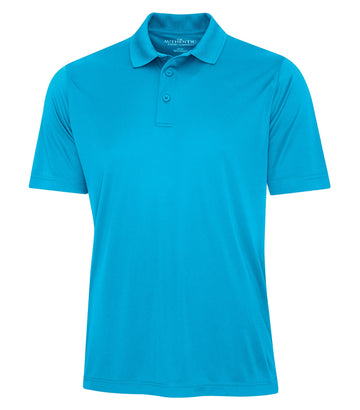
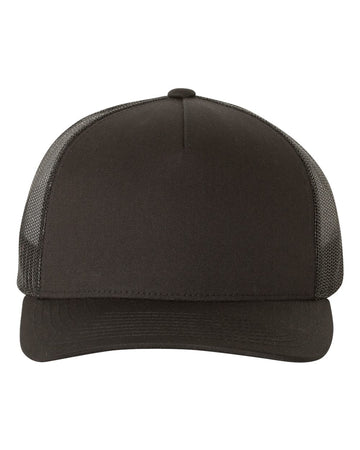
1. Decoration methods
We offer Embroidery, DTF Transfer, and DTG Print - see the Design & Print Help panel inside our Design Studio for full specs (minimums, size caps, the cotton-only rule for DTG, hats being embroidery-only, and 3D Puff being hats-only).
Embroidery is stitched thread, not printed ink, so it's suited to clean shapes and bold text rather than gradients or fine photographic detail, and lettering under about a quarter-inch tends to lose its shape once stitched. We'll match your design to the closest thread color we stock, but an exact match to a specific color or hex code isn't something we can promise. Stitching also pierces the fabric: on a genuinely waterproof or water-resistant garment (some jackets, for instance), the needle holes will affect water resistance right where the design sits, and that's not something we're able to prevent. Our optional 3D Puff add-on is offered on hats only - the foam backing needs a structured cap to hold its shape. It only works on bold, blocky art: thin lines, script or narrow fonts, and small text can't be puffed at all - those areas won't raise properly or will come out looking patchy, so keep any lettering you want puffed bold and block-style, or leave it as flat embroidery instead. Because there's no separate customer proof step (see Section 6, "Orders are final," below), it's your responsibility to choose art and a method suited to each other before ordering.
For DTF and DTG: turn the garment inside out and avoid high heat when washing or drying, which is what keeps a transfer or print from cracking down the road. DTG's ink is absorbed into the fibers themselves, so it reads brightest on lighter garments and more subdued on darker ones.
2. Color accuracy
Screen colors and thread/ink colors can vary slightly from what's shown on your monitor. We match as closely as our materials allow but don't guarantee an exact match to a specific color code unless agreed in writing.
3. File format & resolution
Upload PNG, JPG, or SVG, at least 300 DPI at your design's actual print size. Quick rule of thumb: multiply your design's width and height in inches by 300 to get the minimum pixel size you need - a full 16"×20" back print needs at least 4800×6000px; a 4"×4" chest logo needs at least 1200×1200px. That's the same footprint that sets your price, so if you're sizing your art to hit a price point, size the file to match. PNG is best when your art needs a transparent background - our background removal tool cuts it out automatically, but leave clean, solid edges around your subject; stray pixels or a soft, feathered edge can leave a faint halo once printed on a dark garment. Stick to RGB rather than CMYK - CMYK files are built for offset printing presses, not screens, and can preview with shifted or muddy colors in the studio. There's no fixed file-size limit; we automatically resize very large images for you. AI-generated images are the main thing to watch for regardless of format: most AI tools default to around 1024×1024px, well under 300 DPI once sized up to chest-size or larger. Zoom in on your design in the studio before ordering; if it looks soft there, it will print soft.
4. What we're responsible for
- Misprints caused by equipment malfunction
- Wrong garment color or size shipped
- Visible production defects (banding, smearing, skipped stitches, missing ink or thread coverage)
5. What we're not responsible for
- Blurry or pixelated prints caused by low-resolution source art (including AI-generated images at typical default resolutions)
- Color differences between your screen and the physical print
- Placement, size, or rotation matching exactly what you approved in the Design Studio
- Artwork with an embedded background that doesn't match the garment color, appearing as a visible box
6. Orders are final
There's no separate customer proof or approval step - the Design Studio shows your artwork directly on the real product as you build it, and that's exactly what gets printed. The design itself can't be edited once submitted, and orders can't be cancelled once placed - so review placement, spelling, and color before adding to cart. If you catch a mistake after ordering, email us immediately at info@hhsprints.com; if production hasn't started yet we'll do our best to help, but we can't guarantee it.
7. Availability
Occasionally a color or style becomes unavailable between browsing and ordering. We'll contact you if this affects your order.
8. Retail brand garments
Retail brands we carry (Nike, The North Face, New Era, and others) come with conditions set by the brand itself, on top of everything above:
- Design pre-approval. Some brands require a written description or a copy of your logo to be approved before an order is released for production. If your order needs this we'll contact you - it can add a few days to the timeline.
- Restricted uses. Brand rules bar us from producing retail-brand orders for certain industries and groups - including firearms and ammunition, tobacco, adult entertainment, political parties or campaigns, and any group promoting hate or violence - and from printing hateful, obscene, or profane designs on their garments.
- Licensed logos. Professional team, league, and college marks can only go on retail-brand garments with a licence or written authorization from the rights holder - we'll ask for proof before production. This applies to New Era caps in particular.